ChordEase makes it easier to play music with complicated chords. No matter what the chords are, you can play as if they were all in the key of C. You don't need to play sharps or flats, because ChordEase automatically adds them for you. ChordEase alters your notes in real time in order to make them harmonically correct, while preserving their rhythm and dynamics. By delegating music theory to ChordEase, you can focus on feel and aesthetics.
This freeware is a powerful and sound recording program. With it you can record sound from microphone, line-in, streaming audio from the Internet or music played by Winamp, Windows Media Player, Quick Time, Real Player, DVD player, Flash, games, etc. Recorded sound can be saved in MP3 format. It can record Microphone and Speakers via Stereo Mix.
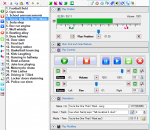
This software offers a solution to users who want to play a playlist of WAV files at random. The user simply adds the WAV files or an entire folder to be played. The interface is simplified with a play, stop and pause button.
4Media DVD Creator has great ability to create DVD movie from various video files including AVI, MPEG, DivX, WMV, XviD, DV, M4V, 3GP, H.264/AVC, etc., and burn these video files to DVD folder or ISO image file. This DVD burning software allows you to create DVD menu, clip video, crop video frame size, adjust video effect, add watermark, and set audio tracks and subtitles for burning custom DVD movie.
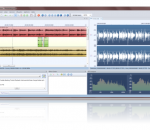
Do you want to cut MP3 and other audio ? Do you want to merge MP3 songs ? Then this application is for you. It can even split MP3 in parts or by time, It can edit MP3 files and shows their waveform and can mix MP3 or record MP3 files from various sources. Simple MP3 Cutter Joiner Editor handles also other formats such as FLAC,M4A,WAV,AAC,OPUS,OGG,MP4,AVI,WMA,WMV e.t.c. With it you can rip CDs, apply audio effects such as fade in,tempo.
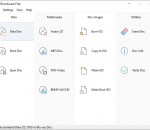
ImTOO Blu-ray Creator 2 burns various formats of videos to Blu-ray discs (BD) and DVDs (AVCHD), and play on Blu-ray players (PS3). The Blu-ray creator can burn camcorder videos and common videos including M2TS, MTS, TS, AVI, MP4, MKV, DV, MPEG, MOV, QT, RM, RMVB, WMV, DivX, ASF, DAT, FLV, VOB, 3GP. All these files can be burned to Blu-ray discs (BD-R, BD-RE, BD-25, BD-50) and regular DVDs (DVD-5, DVD-9, DVD-R, DVD+R, DVD-RW, DVD+RW).
Xilisoft Blu-ray to DVD Converter is a blu-ray to DVD copier and blu-ray to DVD ripper that helps blu-ray disc users back up blu-ray movies to any DVDs and copy blu-ray discs to HD movies and popular common videos for enjoying blu-ray movies on your DVD player, your computer, your iPod, iPhone or other multimedia devices. Additionally, the blu-ray to DVD converter can extract audio from blu-ray movie and capture blu-ray movie images.
Audiozilla is complete audio converter software that works via a right-click. Just right-click any audio files on Windows Explorer, Audiozilla can immediately convert audio MP3, WAV, AC3, OGG, WMA, FLAC, AAC, M4A, APE, VOX, VOC, AIFF and more to other formats.
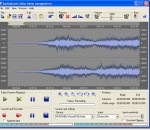
FairStars Recorder is a real-time audio recorder, offering professional recording features with full support for WMA, MP3, OGG, APE, FLAC and WAV formats. It allows you to record sound directly from your sound card, including from a microphone or a line-in jack at high quality. Additional features include silent skip, file size limits, recording wizard, recording schedule, tag editor, audio cutter and more.
Chapter Master is designed to add chapter stops (with or without optional images) to an AAC (*.m4a or *.m4b) file for use as an audiobook or enhanced podcast on the iPod. Designed to be extremely easy to use. You simply open an AAC file and can add and remove chapter stops at any time point within the audio. Listen to your audio and click where you want a chapter stop, or place stops at regular intervals with one click.
Write, lay out, print and hear your music scores, for solo instruments as well as music groups up to 16 instruments. Pizzicato Beginner fits most of the needs of a chorus, a small ensemble, a soloist or keyboard music. By following the progressive tutorials of the manual and/or by watching the video tutorials, you will be able to easily specify the key and time signatures, the page layout, as well as to enter the content of the measures.