Free screen recorder, super-easily used video editor. Game recording. Custom code rate of picture quality. Picture-in-picture. Use Pic-in-Pic, track to overlap multiple video clips. Text-to-speech. Convert text into a voice segment by one touch. A powerful video editor made for beginners. Join Coolcut, let's edit your wonderful life!
RTMPDumpHelper is a small utility that can help you to easily download RTMP video/audio streams. By combining this utility and the proxy server of RTMPDump toolkit, you can simply open a Web page containing RTMP video stream in your favorite Web browser, and while watching the video, it'll be saved to your disk automatically as .flv or .mp4 file. RTMP is a streaming protocol used by Hulu, justin.tv, and by many live streaming Web sites.
Hard to explain to someone how to do something on a computer? Show him/her a screen demo video, or share your screen with him/her remotely. How to save a favorite flash streaming video to hard disk? The simplest way is to record the video off the screen just like a camcorder shooting screen.
WaveCut Audio Editor is an enhanced version of our free audio editor for Windows. With greater speed and multi-window interface, it remained all the same compact and easy to use. Most basic operations performs instantly without causing any delay. We collected suggestions from our users for a long time and have made hundreds of improvements in all aspects of audio editing. In addition, the editor now supports much more popular audio formats.
Protect your work with a watermark, which makes your copyright more difficult to infringe. Insert any text into video files. You can insert the watermark text into top-left, top-right, bottom-left or bottom-right of the video. Drag and drop files is supported. You can change the destination folder. Default destination folder is desktop. Supported input and output filetypes are MP4, MKV, AVI, MPEG, MOV, WMV and FLV.
Txt2VobSub generates vobsubs[idx/sub] subtitles from srt or txt subtitles . The quality of the subtitles is superb . You can select custom colors and position of your subtitles. It can be used in order to watch on your standalone divx player subtitled movies. Your divx player must be vobsub [idx/sub] compatible.
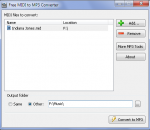
This software offers a solution to users who want to convert many M4As to MP3s. Many songs purchased from iTunes are in M4A format which makes them difficult to play with MP3-only devices. This software solves this type of problem by converting those M4A files in batch. Simply drag and drop the files you would like to work with and click the 'Start' button to begin the conversion.
3nity Media Player portable is an easy to use tool that you can use to open multimedia files of all types, listen to online radio stations and more. Based on MPUI, which is a GUI for the well-known MPlayer, this application can handle almost all video and audio file types in existence.
PSP StereoPack is a useful collection of VST plugins that allows you to analyze the image ad the quality of the stereo signal in audio tracks and mixes. The pack includes four plugins: PSP PseudoStereo, PSP StereoEnhancer, PSP StereoController, PSP and StereoAnalyser.
MPEG Video ES Utils application provides the user with a visual representation of the structure of MPEG-2 video elementary stream (ISO/IEC 13818-2). The application allows the user to investigate the video sequence headers, group of picture headers, picture headers with their extensions, slices, macroblocks, blocks, VLC coefficients and motion vectors.
HOLMImpulse x64 is an application which demonstrates how can you make measurements using any soundcard and a microphone. Download the file and save it a folder of your choosing. To open the data in HOLMImpulse go to the file menu and select "Open Measurements". Navigate to the folder containing the HOLMImpulseMeasurements.hlm file and select it.
GOM Media Player только media player вам нужно - бесплатно! Не только GOM Media Player бесплатно видео плеер, с его встроенной поддержкой для всех наиболее популярных видео и медиа-проигрыватель форматов, тонн передовых функций, крайней настраиваемость, и службу Поиск кодека, GOM Media Player обязательно для выполнения всех ваших потребностей воспроизведения. Миллионы пользователей в сотнях стран GOM Media Player является одним из самых популярных видео игроков в мире. Что нового: «Touch добавленный» функция для устройств с сенсорным экраном. Добавлена функция «Окно поиска» на плейлист. (Ctrl + F) Поддерживается «HTTPS URL» для youtube или чистое радио воспроизведения. (Ctrl + U) Добавлено «Музыки коснитесь» предпочтения, связанные для воспроизведения музыкальных файлов. Повышение производительности, относящиеся к «скорость добавить & удалить» файлов на плейлист. Другие различные корректировки, исправления и изменения
RealPlayer всегда включено вам играть RealAudio (* .ra) и RealMedia (* .ram) файлов. Скачать видео с тысяч веб-сайтов с помощью только одного нажмите кнопку построить ваши собственные библиотеки видео и плейлисты играть все основные аудио и видео форматов поддержка Flash видео DVD, SVCD, VCD горения и видео записи RealPlayer для личного пользования включает аудио компакт-дисков возможностей, DVR-стиль воспроизведения буферизации, мультимедиа поиска, Интернет-радио, jukebox стиль файл библиотеки, встроенный веб-браузер, (с помощью Microsoft Internet Explorer)и возможность передачи средств массовой информации для ряда портативных устройств, в том числе Apple iPod, MP3-плееры и устройств Windows Media.
GOM является свободный медиа-проигрыватель с популярных аудио & видео кодеки встроенные. Кодек Finder GOM Player включает в себя много кодеков (XviD, DivX, FLV1, AC3, OGG, MP4, H263 и более) так что вам не нужно устанавливать кодеки отдельно для большинства видео. Для тех видео, которые требуют отдельного кодека GOM Player найдете один. Играть битые файлы AVI (запатентованная) GOM Player запатентованная технология позволяет пользователям просматривать файлы с поврежденным индексом или что еще загружаются. Мощные субтитров поддержка GOM Player поддерживает SMI, SRT, RT, SUB (с IDX) файлы субтитров. Вы можете синхронизировать видео и субтитров, даже если есть любое несоответствие. Удобный плейлист, если вы запустить видео файл и уже существует файл с похожим именем в каталоге, он будет автоматически добавлено в ваш плейлист. GOM Player имеет аналогичный формат воспроизведения M3U, PLS, ASX. Поддержка различных типов средств массовой информации вместе с различными средствами массовой информации формате например AVI, MPG, MPEG и DAT, GOM Player также поддерживает потоковое формат Windows media (WMV, ASF, ASX). Вы также можете посмотреть видео качества DVD с 5.1-канальный аудиовыход.