Multi-user annotating tool: MultiMark allows for multiple users to annotate, draw or highlight on screen; and thus collaborating on the desktop, over any content. Each participant with an attached mouse or connecting from remote with their own device, using the free TeamCONNECT client.
Take your audience on an emotional journey with the perfect song or instrumental. Adding soundtracks in VideoCruise is as easy as drag-and-drop. Whatever your goals are, there's a template built for you, complete with it's own visual effects, color designs, and motion filters.
djDecks has various dsp effects, such as a 3-band equalizer, advanced looping and echo (with low and hi-pass cutoff filters), automatic beat detection, flanger, gapper, normalizer and a spectrum analyzer per channel.
Management and software for musicians - display music on screen like a digital music stand. No more paper, fast search of your songs and instant display. Create playlists (set lists). Powerful chord sheet editor. Transpose chords. Scan music directly into the software or import from PDF. Multiple page per screen display, easy page turning with one tap or use a foot pedal.
EKD is a freeware that aims to make postproduction processing for videos and images. Regarding images, EKD makes some batch processing. The EKD source code is placed under free license GNU GPL (version 3): you can use it, copy it, modify it (the team would like at to have access to the modified code) and spread it freely (according to the rights of the freeware).
Pianoteq Stage can at any time be upgraded to Pianoteq Standard or Pianoteq PRO to gain further sophisticated features, such as to tweak the physical model, to load Scala temperament files or to position virtual microphones around the instrument. With Pianoteq Stage, you are not locked to a certain product but have the option to upgrade whenever needed.
FFRend is a free, open-source video effects renderer for Freeframe V1 plugins. It can interconnect any number of plugins in any configuration, automate their parameters using oscillators, and record the output to an AVI file while simultaneously displaying it full-screen. FFRend has a modular interface, includes an installer and comprehensive help, and supports MIDI, dual-monitor, and plugin authoring, plus parallel processing on multicore CPUs.
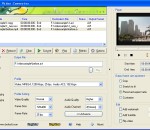
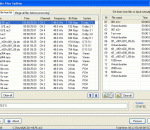
This software offers a solution to users who want to compress the file size of one or more WAV files. The user simply adds the required files or an entire folder before starting the compression. With this time saving software, the file size of large numbers of WAV files can be changed with just one click.
The Windows 7 Codec Pack is a simple to install package of audio and video codecs / filters / splitters used for playing back music and movie files. After installation you will be able to play 99.9% of files on the internet. Also included in the package are a number of encoder codec's, allowing you to encode files in formats such as DivX. XviD, x264 and many more in your favourite encoding application.
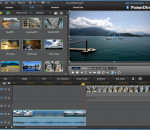
With UkeySoft Video Editor is the best Windows video editor for beginners, you can easily to create spectacular videos without any video-editing experience! For example: Crop & trim video, Apply video effect and add audio tracks; Choose the best footages; Remove unwanted footage; merge the best material into movie; Add watermark and subtitles to video; Alter the style, pace or mood of the video. Easily to create your amazing videos at home!
Apeaksoft iOS Screen Recorder works well when you want to record any apps, games on iPhone/iPad/iPod. What you need to do is making your computer and iOS device connect with the same Wi-Fi network. Then you can mirror it to your computer wirelessly without USB cable and you could record the files you want, such as the videos, audio, real-time gameplay.
GOM Media Player только media player вам нужно - бесплатно! Не только GOM Media Player бесплатно видео плеер, с его встроенной поддержкой для всех наиболее популярных видео и медиа-проигрыватель форматов, тонн передовых функций, крайней настраиваемость, и службу Поиск кодека, GOM Media Player обязательно для выполнения всех ваших потребностей воспроизведения. Миллионы пользователей в сотнях стран GOM Media Player является одним из самых популярных видео игроков в мире. Что нового: «Touch добавленный» функция для устройств с сенсорным экраном. Добавлена функция «Окно поиска» на плейлист. (Ctrl + F) Поддерживается «HTTPS URL» для youtube или чистое радио воспроизведения. (Ctrl + U) Добавлено «Музыки коснитесь» предпочтения, связанные для воспроизведения музыкальных файлов. Повышение производительности, относящиеся к «скорость добавить & удалить» файлов на плейлист. Другие различные корректировки, исправления и изменения
RealPlayer всегда включено вам играть RealAudio (* .ra) и RealMedia (* .ram) файлов. Скачать видео с тысяч веб-сайтов с помощью только одного нажмите кнопку построить ваши собственные библиотеки видео и плейлисты играть все основные аудио и видео форматов поддержка Flash видео DVD, SVCD, VCD горения и видео записи RealPlayer для личного пользования включает аудио компакт-дисков возможностей, DVR-стиль воспроизведения буферизации, мультимедиа поиска, Интернет-радио, jukebox стиль файл библиотеки, встроенный веб-браузер, (с помощью Microsoft Internet Explorer)и возможность передачи средств массовой информации для ряда портативных устройств, в том числе Apple iPod, MP3-плееры и устройств Windows Media.
GOM является свободный медиа-проигрыватель с популярных аудио & видео кодеки встроенные. Кодек Finder GOM Player включает в себя много кодеков (XviD, DivX, FLV1, AC3, OGG, MP4, H263 и более) так что вам не нужно устанавливать кодеки отдельно для большинства видео. Для тех видео, которые требуют отдельного кодека GOM Player найдете один. Играть битые файлы AVI (запатентованная) GOM Player запатентованная технология позволяет пользователям просматривать файлы с поврежденным индексом или что еще загружаются. Мощные субтитров поддержка GOM Player поддерживает SMI, SRT, RT, SUB (с IDX) файлы субтитров. Вы можете синхронизировать видео и субтитров, даже если есть любое несоответствие. Удобный плейлист, если вы запустить видео файл и уже существует файл с похожим именем в каталоге, он будет автоматически добавлено в ваш плейлист. GOM Player имеет аналогичный формат воспроизведения M3U, PLS, ASX. Поддержка различных типов средств массовой информации вместе с различными средствами массовой информации формате например AVI, MPG, MPEG и DAT, GOM Player также поддерживает потоковое формат Windows media (WMV, ASF, ASX). Вы также можете посмотреть видео качества DVD с 5.1-канальный аудиовыход.